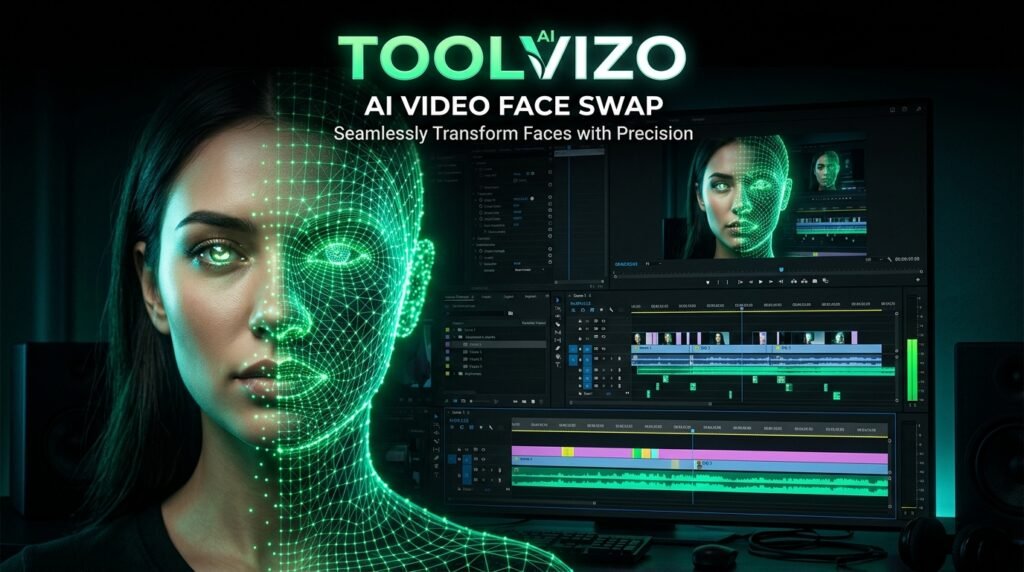
AI Video Face Swap: Replace Faces in Videos Seamlessly Online
Transform any video scene by swapping target identities with this free ai video face swap tool. Powered by neural landmark mapping, high-definition face restoration, and automatic lighting harmonization for realistic creator videos.
AI Video Face Swap Studio
Upload your target video and source face portrait, or select from built-in sample assets to generate a photorealistic face swap.


How the AI video face swap engine works
Advancements in deep learning and generative computer vision have fundamentally reshaped modern video editing. Where visual effects artists once spent weeks hand-rotoscoping actors and tracking manual digital doubles frame-by-frame, modern neural networks achieve photorealistic face replacement in minutes. Our browser-based ai video face swap studio harnesses these state-of-the-art vision models to replace any face in video clips with total anatomical precision.
Rather than simply pasting a static two-dimensional photo over a moving person, our sophisticated generative synthesis architecture decodes the target video into discrete image frames, detects three-dimensional facial orientation, extracts a high-dimensional identity embedding from your source photograph, and seamlessly synthesizes the new identity into every micro-expression. Utilizing our verified neural synthesis engine allows creators, filmmakers, and digital marketers to produce compelling visual concepts without expensive CGI production pipelines.
Neural Generative Synthesis Architecture:
Modern video face swapping combines convolutional facial encoders, latent identity injection, and generative adversarial networks (GANs) conforming to biometric performance benchmarks documented by the National Institute of Standards and Technology (NIST).
106-point 3D facial landmark tracking
The core foundation of any credible video face replacement is accurate spatial tracking. When an actor in a video turns their head, tilts upward, speaks, or changes facial expressions, a primitive overlay instantly loses realism. Inside our ai video face swap engine, an advanced neural landmark detector maps 106 discrete coordinate points across the subject's face.
These biometric coordinate clusters track vital facial regions across every video frame:
- Ocular Contour & Gaze Vector: Tracks pupil direction, eyelid curvature, and involuntary blinking to preserve genuine human engagement.
- Labial Lip Synchronization: Accurately tracks mouth articulation, smiles, speech phonemes, and lip closure so voice tracks match natural movement.
- Mandibular Jawline Geometry: Calculates 3D head pitch, yaw, and roll angles to ensure the replacement face adheres precisely to anatomical skull geometry.
By mapping these continuous motion vectors inside our deep learning vision processor, the synthetic face moves in lockstep with the original actor's head trajectory without jitter or distortion.
Ambient lighting and skin tone blending
Even with perfect spatial alignment, a face swap appears artificial if the skin color temperature and shadow gradients do not match the surrounding video environment. If your source photo was taken under harsh flash lighting, placing it into a warm sunset video requires complex neural color grading. Our comprehensive ai video face swap tool utilizes Poisson blending algorithms and latent ambient transfer to harmonize visual lighting.
The neural harmonization pipeline executes several adjustments:
- Specular Highlight Balancing: Detects directional key lights, fill lights, and ambient bounces in the background footage, rendering synthetic highlights across the forehead and cheekbones.
- Occlusion Masking: Accurately segments foreground obstructions such as stray hair strands, sunglasses, microphones, or passing hands so they naturally overlap the newly swapped face.
- Color Temperature Normalization: Adjusts warm tungsten or cool daylight color casts so the new face matches the surrounding neck and ear skin tones seamlessly.
Executing these chromatic balances inside our automated rendering pipeline creates a cohesive photographic illusion that looks natural to human viewers.
Neural face restoration with CodeFormer and GFPGAN
A common flaw in earlier generations of face replacement software was blurry, low-resolution facial features. When neural models downsample video frames to process embeddings, fine details like eyelashes, skin pores, and eye reflections are frequently lost. Our modern ai video face swap architecture incorporates state-of-the-art CodeFormer and GFPGAN restoration networks to preserve 4K visual clarity.
CodeFormer relies on a pre-trained discrete codebook lookup table that reconstructs missing high-frequency details. Instead of generating artificial plastic smoothness, it restores natural human micro-textures, crisp irises, and realistic stubble. Selecting CodeFormer inside our enhancement panel guarantees your final rendered MP4 container remains razor-sharp on high-resolution displays.
Comparing cloud tools versus local Python rigs
Content creators frequently wonder whether to run face swapping on their personal computer or through cloud-based web applications. The technical comparison below contrasts running local desktop software (such as FaceFusion or Roop) against using our online ai video face swap utility:
| Evaluation Metric | Online Web Studio | Local Desktop Rig (FaceFusion) |
|---|---|---|
| Hardware Requirements | Zero (Runs on any phone/laptop) | NVIDIA GPU with ≥8GB VRAM |
| Setup Complexity | Instant 1-Click Browser Access | Python, CUDA, PyTorch, C++ Build Tools |
| Rendering Speed | High-Speed Cloud Clusters | Depends on local graphics card |
| Storage Overhead | No disk space required | 15GB – 30GB model weights & dependencies |
| Mobile Compatibility | Full iPhone & Android support | Desktop only (Windows / Linux) |
While local open-source Python setups provide granular scripting control for machine learning engineers, our browser-based synthesis platform delivers immediate professional output without technical setup barriers.
Best practices for photorealistic results
To achieve the highest visual fidelity with our ai video face swap studio, the quality of your source materials plays a crucial role. Professional video editors observe several foundational guidelines when preparing inputs:
- High-Resolution Direct-Facing Portrait: Provide a source photograph where the subject looks straight toward the camera with neutral, even lighting. Avoid extreme head angles, heavy filters, or motion blur.
- Minimal Face Obstructions in Source: Ensure the source photo does not have thick hats, heavy sunglasses, or hands covering the mouth and jawline.
- Match General Head Geometry: While our neural network adapts to diverse bone structures, choosing a source face with roughly similar facial proportions to the target actor enhances anatomical realism.
- Clean Target Video Resolution: Use target video footage recorded in 1080p with stable lighting rather than heavily compressed, grainy night-vision clips.
Following these simple guidelines inside our facial animation studio yields stunning results suitable for marketing mockups, parodies, and digital doubles.
Ethical use, consent and security best practices
Synthetic media technologies represent powerful creative tools, but their ethical application requires responsibility and transparency. Computer science organizations like the IEEE Computer Society advocate for clear disclosure when publishing AI-generated visual content.
When utilizing our ai video face swap utility, observe these community guidelines:
- Consent and Respect: Never generate synthetic content depicting real individuals without their explicit authorization and permission.
- Clear AI Attribution: When posting swapped content on social networks (YouTube, TikTok, Instagram), utilize native platform AI disclosure labels (such as "Altered or Synthetic Content").
- Zero Harm Policy: Prohibit the generation of defamatory, misleading, deceptive, or non-consensual media.
For additional details regarding our software principles, please consult our published editorial standards, review our service terms of use, and explore our complete tools directory. Practicing responsible synthesis ensures our ai video face swap technology remains an inspiring force for digital storytelling.
Frequently asked questions about AI video face swap
How does this AI video face swap tool replace faces?
Our ai video face swap tool uses neural computer vision models to detect 106 facial landmarks on the video actor, aligns the latent identity of your uploaded photo, and blends the new face onto every frame while preserving original expressions, eye blinks, and lighting.
Can I swap faces on my iPhone or Android smartphone?
Yes. Our tool is fully cloud-optimized and operates directly within mobile web browsers (Safari, Chrome, Firefox). You do not need to install complex desktop software or have an expensive graphics card.
Does the tool preserve facial expressions and lip movements?
Yes. Because our model replaces facial identity while mapping onto the actor's real-time motion vectors, smiles, frowns, speech articulation, and head rotations are preserved naturally.
Are my uploaded videos and photos kept private?
Yes. Uploaded media assets are processed securely in temporary runtime memory and are not shared with third parties or used to train public models.
Harnessing an advanced ai video face swap platform unlocks boundless creative potential for modern digital filmmakers and content creators.